 arcadegnt
Making games with Claude Opus 5.5 and arcadegnt
Anthropic released Claude Opus 5.5 on September 22, 2026. It's the current Opus model in Claude and Claude Code, and it's very good at the exact loop arcadegnt is built around: write a Godot game, build it, look at screenshots of it running in a real browser, and fix what looks wrong. This guide covers what's new for game makers, how to get the most out of it, and where it still needs you.
Play games it made
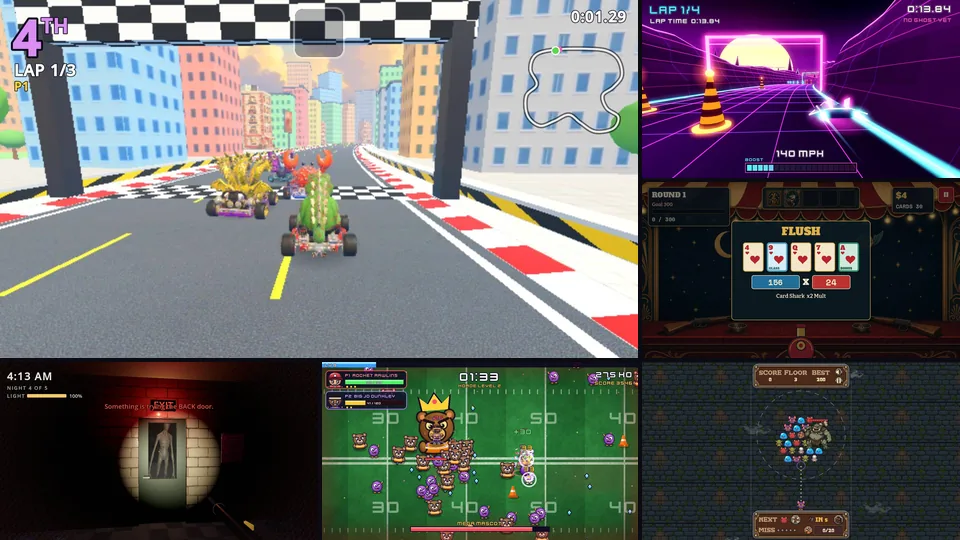
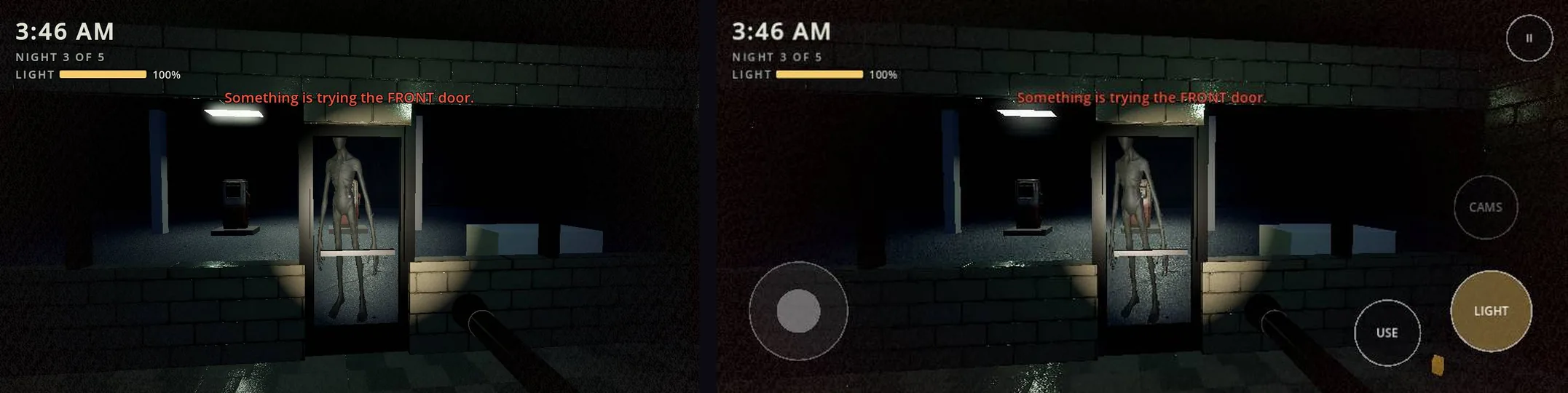
Every game below was made with Opus 5.5 and arcadegnt, and is in the arcadegnt gallery. The pictures are real screenshots from arcadegnt's own browser checks. Each game plays in the browser on a computer or a phone.
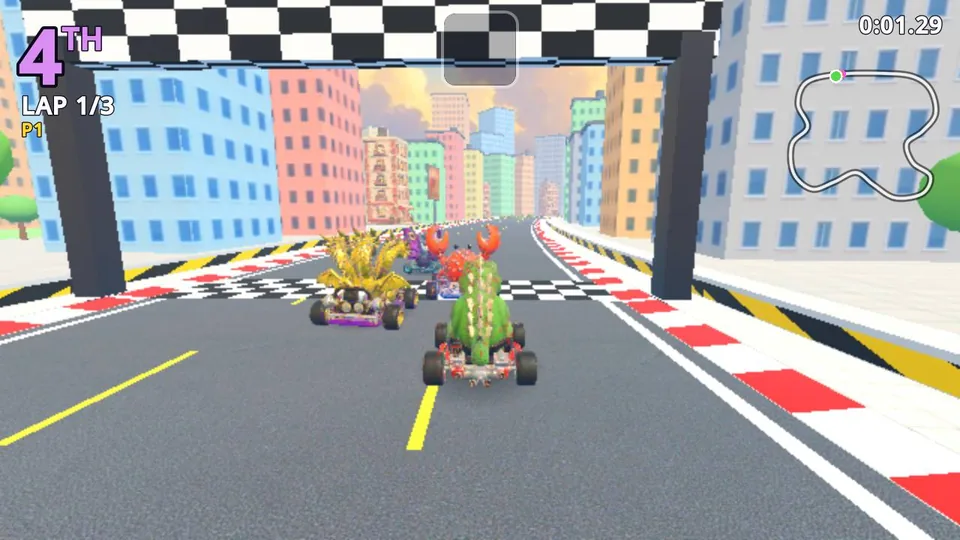 Kaiju Kart GPSplit-screen kart racing for up to four players, where kaiju drive the karts through a toy city that gets stomped mid-race.
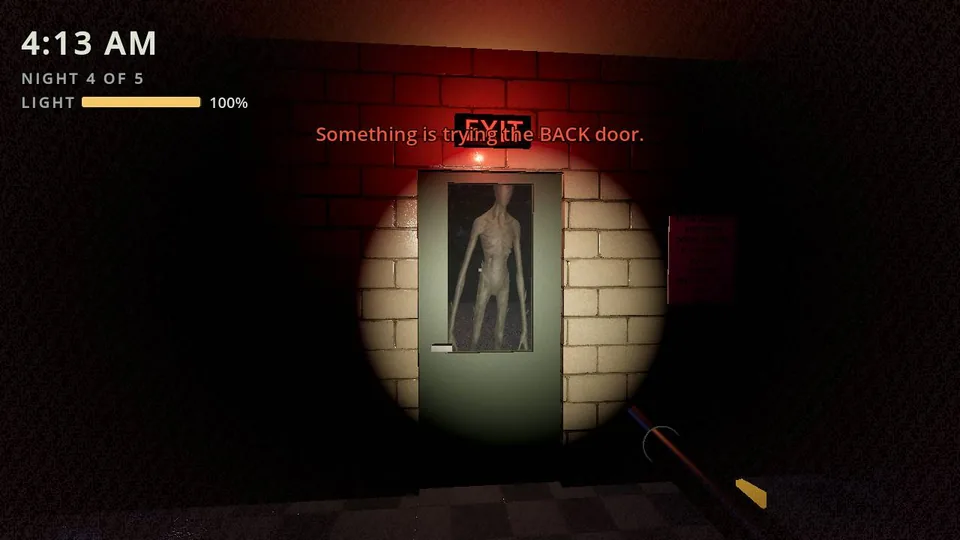 Night ShiftFirst-person survival horror at a mountain gas station at 3 a.m. Ration your flashlight, watch the cameras, survive five nights.
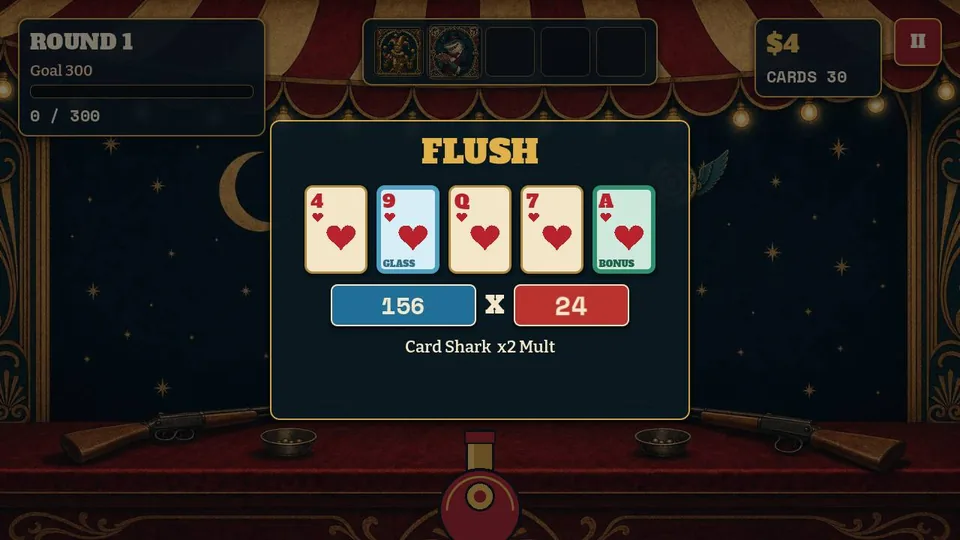 DeckshotA roguelite shooter where every bullet is a playing card. Build poker hands to multiply your score.
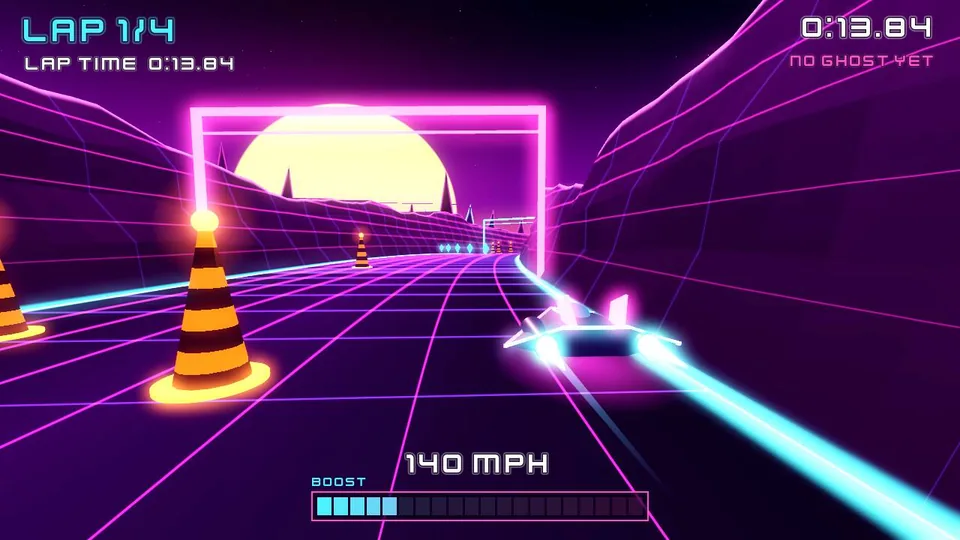 Neon DriftA 3D hover racer through a neon synthwave canyon, with a boost meter and a ghost of your best lap.
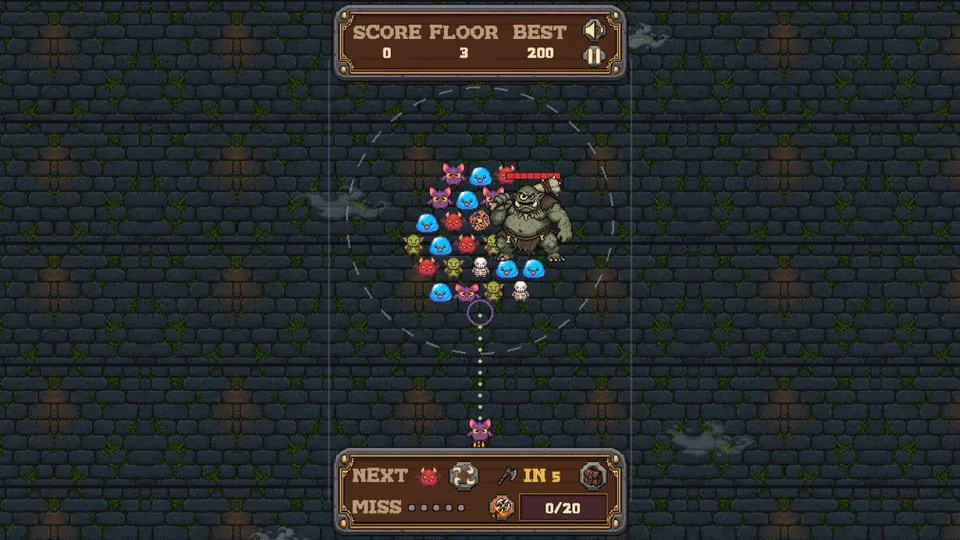 Dungeon SpinAn 8-bit bubble shooter dungeon crawl: match three monsters in a spinning horde and crush the bosses.
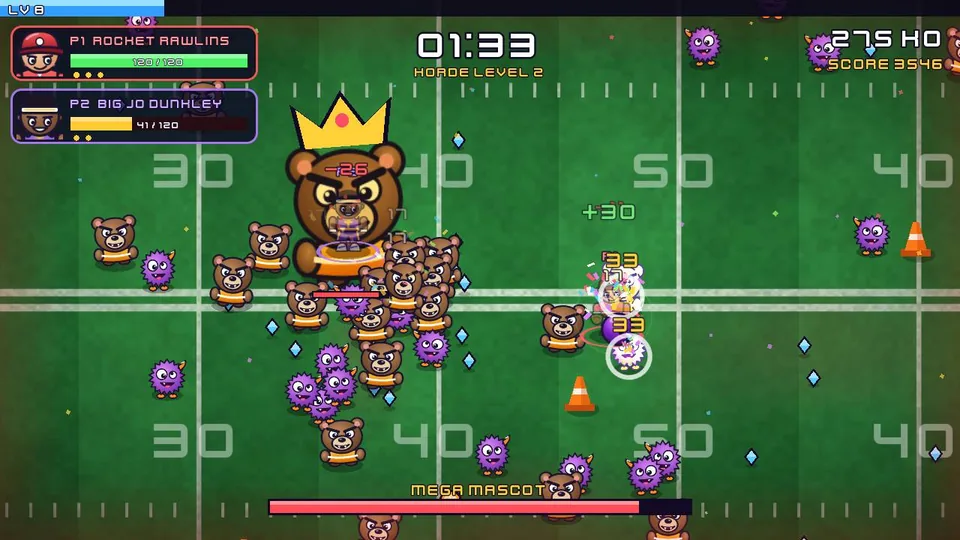 Bench BrawlSports legends against ever-growing mascot hordes, with a level-up pick every minute and a second player on a gamepad.
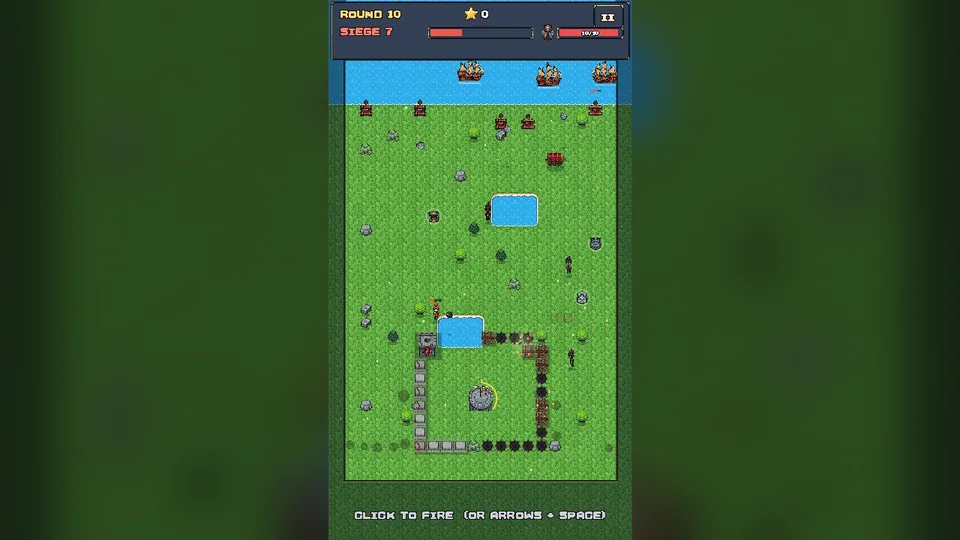 Coil KeepA roguelite castle builder where your wall is a stone serpent. Coil it round your keep and hold off the siege.
What it's good at
It sees the screenshots more clearly
Every time your assistant runs check_game, arcadegnt plays the game on a desktop and a phone and sends back screenshots. The assistant can only fix what it notices in those pictures. A score that runs off the edge, a touch button over the player, a level that's too dark, a sprite facing the wrong way.
Anthropic says Opus 5.5 reads screenshots, charts and diagrams far more accurately than Claude Opus 5 at every effort level. That includes details that depend on position rather than text, like which box an arrow points to or what changed between two versions of a picture. It's also more reliable when it works through a task step by step from screenshots. For games, that means more of the problems in a check_game shot get caught and fixed before you ever open the link.
It holds the whole game in mind
Opus 5.5 can work with up to a million tokens of context and write up to 128,000 tokens in a single reply. A whole arcadegnt game, with its scripts, the build guide, the build errors and several rounds of screenshots, fits in one conversation with room to spare. In practice:
- Many files at once. It can write the player, the enemies, the HUD, the menus and the level in one
write_filescall, and keep them consistent with each other. - Fewer broken references. It remembers the signal it named three files ago and the input action it added to the controls, so builds fail less often.
- Long sessions. You can keep adding features for an afternoon without it losing track of how the game works.
It builds art in code
With no art tools connected, Opus 5.5 can still make a game look finished: lighting and fog, procedural textures, shader water, skies, models built from shapes, particles and sound. The shader and GDScript examples in Make good-looking games without asset generators were written by Opus 5.5 and compiled and ran first time in Godot, and Neon Drift and Bench Brawl above build their art in code. When you do connect a tool such as Meshy or PixelLab, it uses that art and builds everything else around it: the kaiju in Kaiju Kart GP are Meshy models, and the track, city and racing are Opus 5.5's code.
It tells you plainly what it did
Anthropic says Opus 5.5 writes clearer progress updates and summaries than earlier models: what it did, what it found, and what it needs from you, with less jargon. When a build fails or a screenshot shows a problem, you get a short, readable account of what went wrong and how it was fixed.
It costs less and replies faster
Through the API, Opus 5.5 costs $4 per million input tokens and $20 per million output tokens, down from $5 and $25 for Claude Opus 5. Anthropic says typical workloads at default settings cost about 40% less than on Opus 5, and that it writes its replies more than 30% faster. You'll notice the speed most during the build, check, fix loop, which runs many times for one game.
How to get the best results
Name the style you want and the looks you don't
Anthropic's own advice is that, without direction, Opus 5.5 falls back on a few familiar default styles, and that a vague request like "don't make it look generic" mostly swaps one default for another. Naming specific things to avoid works much better. For games:
Make it a moody papercraft look: layered cut-paper hills, a warm low sun and soft
shadows. Don't use a neon synthwave grid, a purple space background, a flat pastel
gradient sky or a pixel font for the HUD.
If the first build lands on a look you didn't want, add it to the list and ask again.
Give it the whole game up front
Opus 5.5 does its best work when it can plan the whole game at once. Describe the rules, the controls, the look, the screens (title, play, pause, game over) and how winning and losing work in your first message, rather than drip-feeding them. Then use later messages for changes.
Let it play the game
Ask for a check_game after every big change and ask it to judge the screenshots like a player would. "Check it on desktop and phone, and fix anything that looks unfinished" is enough. Opus 5.5 can also add a small test bot and named states to the game, so check_game can jump straight to level 3 or the boss fight and screenshot it.
Turn up the effort for hard problems
In Claude Code and the API you can choose how much the model thinks before it answers. The default suits most game work. For tricky physics, enemy AI, a bug that keeps coming back, or a big first build, a higher effort level is worth the extra time. For small tweaks like "make the coins bigger", a lower level is faster.
Where it still needs you
- It can't feel the controls. Screenshots show how the game looks, not how a jump feels under your thumb. Play the link yourself and say what feels off: "the jump is floaty", "turning is too slow".
- It doesn't draw pictures. Opus 5.5 writes code. Its art is built from shapes, shaders and procedural textures, which suits many styles but not detailed characters with faces. For those, connect an art tool or bring your own files.
- The web has limits. Games run on Godot's Compatibility renderer, so a few high-end effects aren't available. Opus 5.5 knows the usual fakes, and the build guide lists the rules.
- You decide what's fun. It will happily build anything. Tell it what makes your game yours.
Your first game with Opus 5.5
Connect arcadegnt in Claude or Claude Code (the steps are on the home page), pick Opus 5.5 as the model, and paste a prompt like this one:
Make a 3D lighthouse defense game with arcadegnt. I guard a lighthouse on a rocky
island at night. Sea monsters crawl ashore in waves, and I aim the lighthouse beam
to burn them away; the beam overheats if I hold it too long. Build all the art in
code: stormy shader sea with foam, rain particles, lightning flashes, warm light from
the lighthouse windows. No neon, no purple sky. Title screen, wave counter, game over
with a high score table. Build it, check it on desktop and phone, and fix what looks
unfinished.
You get a link like https://beam-keeper.arcadegnt-play.com/ that anyone can open on a computer or phone.
When the game is ready, ask Opus 5.5 to submit it to the arcadegnt gallery so other people can play it.